Two Bob units
Head mount, chest mount, or one of each.
Co-Engineer
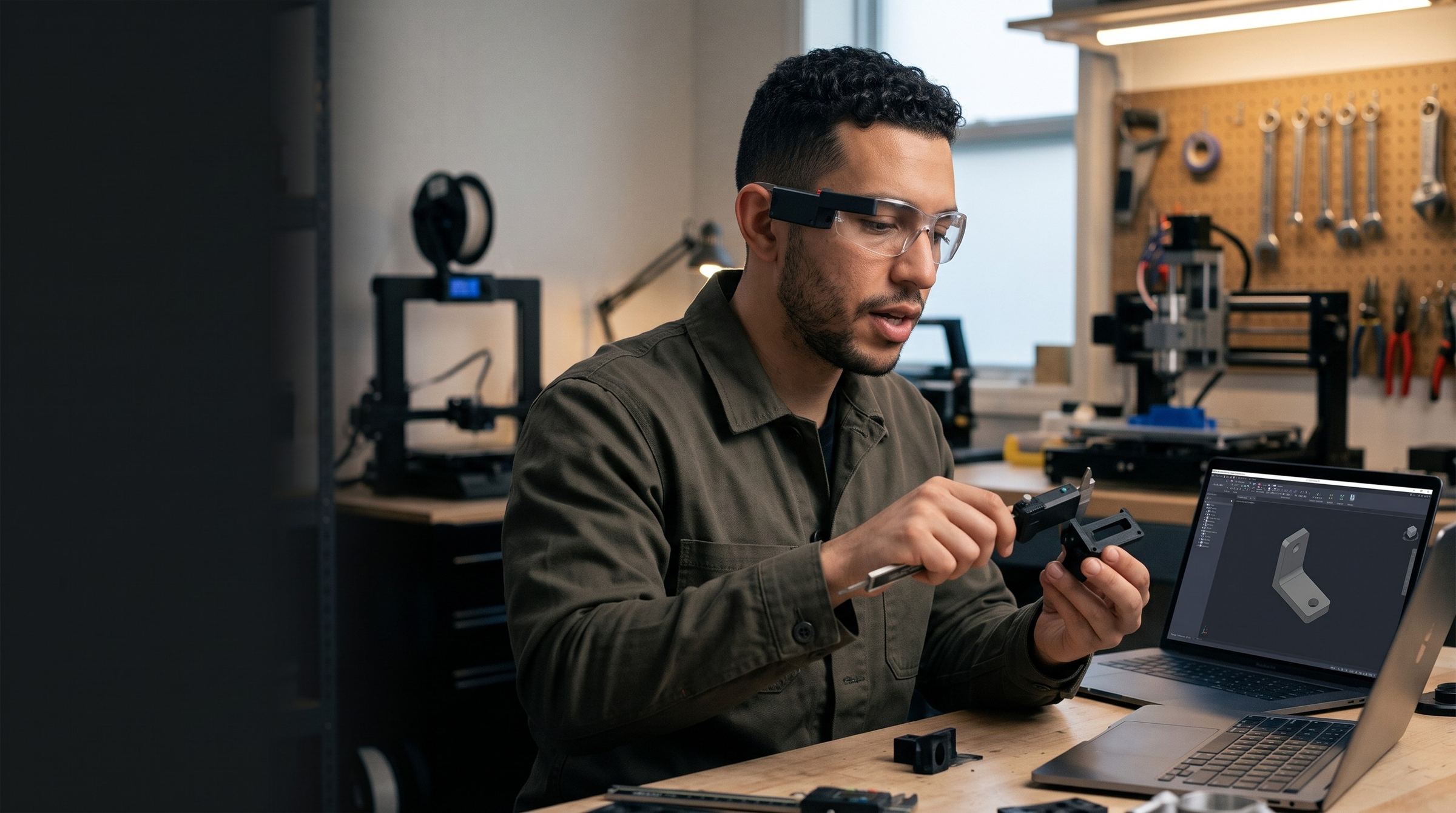
Wear Bob and talk while you build. Synths in Swarm see what you see. They find the file, get the quote, and write the report. You stay at the bench.
Bob streams your view to Swarm. The synth sees the bench, the part, and the machine, and it hears what you ask.
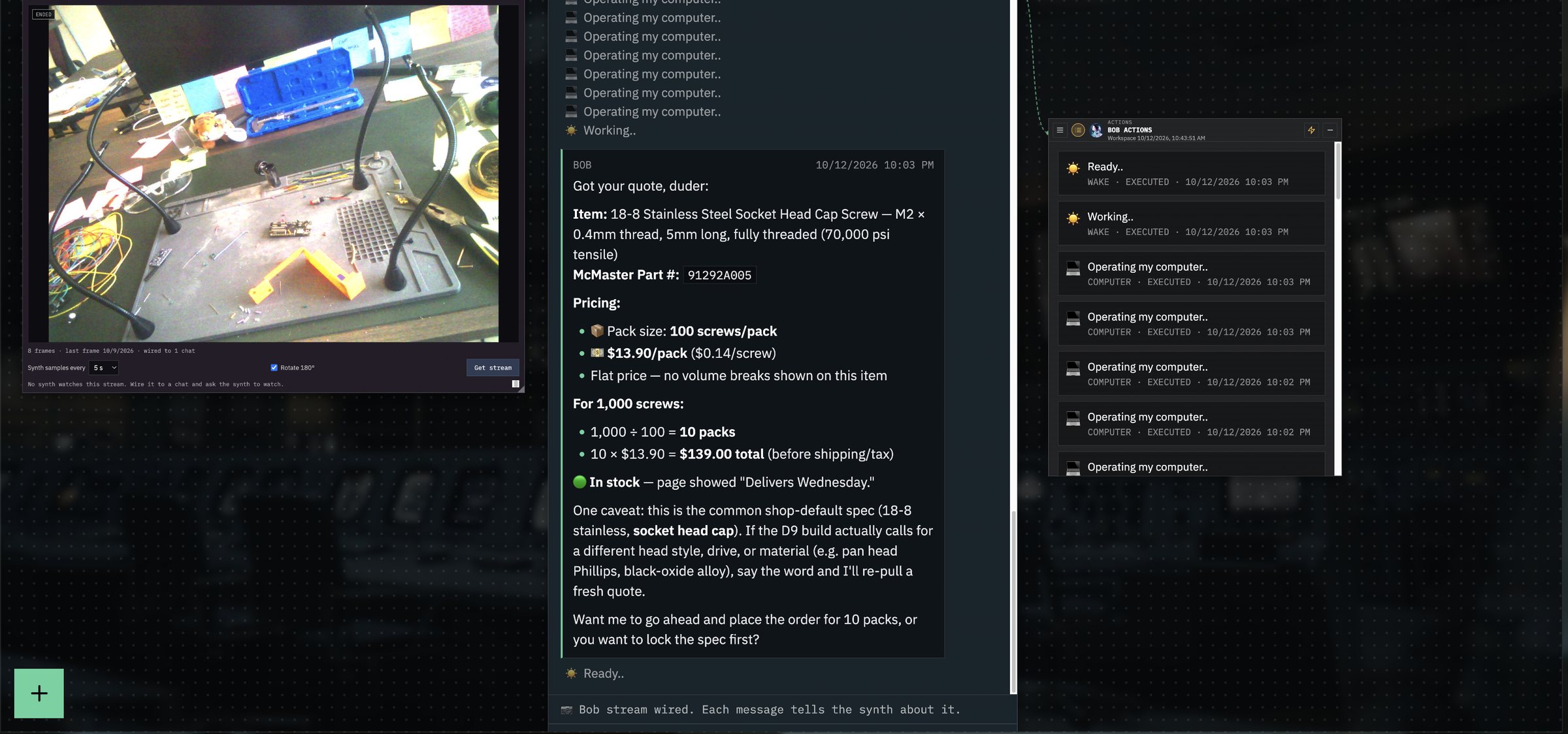
It opens the CAD file, reads the drawing, checks your systems, and gets the quote.
The answer shows on the screen next to you. You approve the order or the change, and you keep building.
1 + 1 = 4
A person and a synth at the same bench do more than each one alone. Nobody says the synth built the part. The engineer built it faster.
CAD, STEP, and STL files
Schematics, specs, and work instructions
From your systems, through an API or MCP
Work orders, reports, and travelers
To order parts and complete paperwork
You approve before it orders or sends
Swarm records each change to each unit: what changed, why, and who changed it.
The production crew gets what the prototype team knows.
The setup, the drawing, and the hardware are ready when the engineer asks.
The fix, the file, and the reason go into your Swarm. The next engineer starts from there. Each person keeps their own way of working. The team stops solving the same problem twice.
Bob, and the computer that already sits next to the machine. Swarm runs in your own environment.
On the screen next to the engineer: a laptop or a monitor at the machine. The engineer talks. The synth answers on the screen.
You choose what it can do alone and what needs your approval. In the screen above, it asks before it orders.
No. The engineer designs, judges, and decides. The synth does the search, the quote, and the paperwork.
No. Most teams start with Record. Add Co-Engineer when your engineers ask for it.
Bob captures how your best people do the job. Swarm gives that know-how to everyone, on every shift.
Swarm does the paperwork, so your crew spends the shift on the work.
Each person does the job the way your best person does it.
Your crew works the way it always did, with fewer steps.
From the first day, each new hire learns from your best expert.
What your experts know stays in your shop, for every shift after them.
Each recorded job makes the next one faster.
Bob records the job. Swarm writes the SOP, the log, and the report.
Stay at the machine. Swarm completes the form.
Ask for the drawing. It shows on the screen next to you.
The end-of-shift paperwork is done before the shift ends.
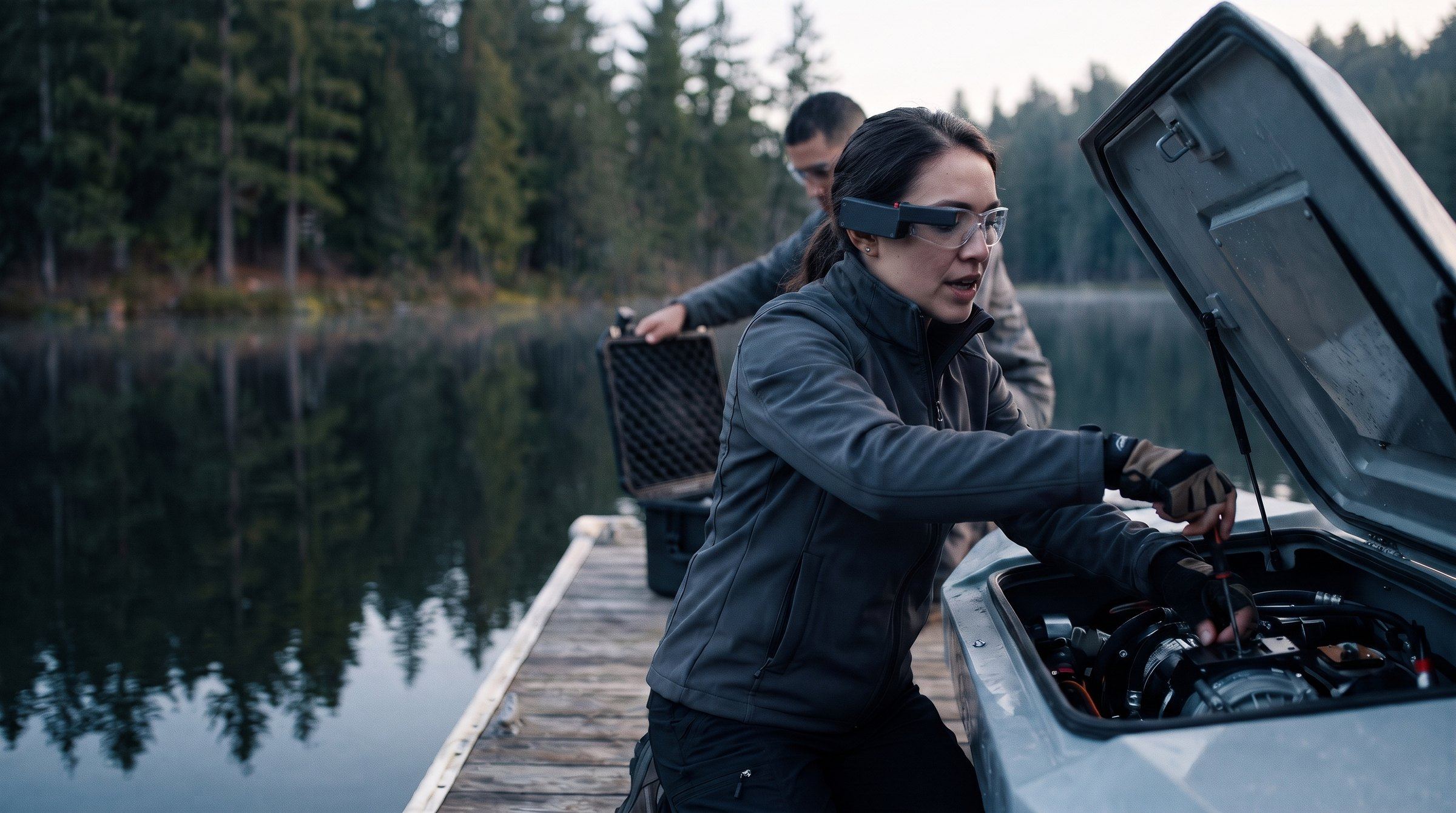
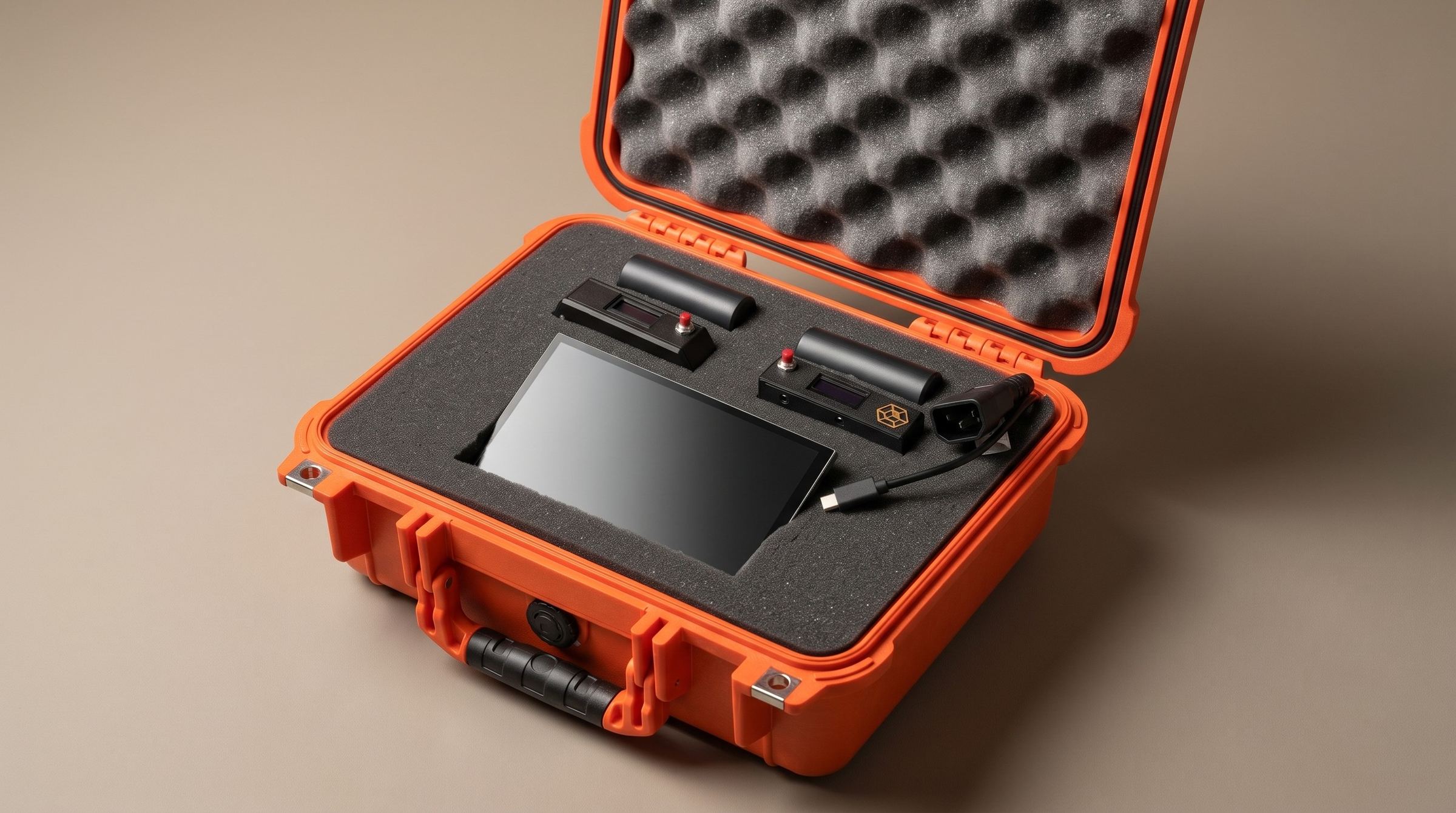
Two Bob units, auxiliary power, the decryption computer, and every cable, in one Pelican case. Open it on the shop floor, the flight line, or the pier, and start recording.
Built for inspections and walkthroughs. It rides on a harness or a vest and records the full scene in front of the wearer, with both hands free.
Clips to the safety glasses that you already wear.
For the job that runs long. One pack for each unit keeps Bob recording past the end of the shift.
Bob encrypts every recording on the unit. This touchscreen computer decrypts it and moves it straight into your own cloud. Nothing goes to Mission Control.
Built into the decryption computer: USB-C for data transfer from the units, Ethernet to your network, and 120V AC power.
Watertight, crushproof, and dustproof. Each part has its own cutout in the foam, so the kit goes from the shop floor to the field in one piece.
Bob encrypts each recording on the device.
The decryption computer decrypts it into your own cloud tenancy.
Swarm runs as an appliance in your environment: Azure, AWS, Google Cloud, Docker, or Kubernetes.
No recording goes to Mission Control.
Head mount, chest mount, or one of each.
It decrypts each recording into your own cloud.
Installed in your own environment.
Start with Record. Add Live and Co-Engineer when your team asks for them.
Get a demo